Restrict course access by customer tag
Restrict by customer tag is an optional course setting. It lets you control access to a course using tags on your customers’ Shopify profiles. We built it mainly so you can sell courses as a subscription, but it works for any situation where you want tags to decide who gets access.
On this page
How it works#
Every time someone buys in your Shopify store, Shopify creates a customer profile for them. You can add tags to these profiles, either manually or automatically with apps like Shopify Flow or subscription apps.
When you add one or more tags to a course under Restrict by customer tag, the tag becomes the only thing that decides access:
- Customers with the tag can access the course, whether or not they purchased it.
- Customers without the tag can’t access the course, even if they purchased it.
If the tag is removed from a customer’s profile later, they lose access.
Because access depends on the customer’s profile, customers need to be logged into their account in your store to open the course.
If you leave the setting empty, access works as defined in the Course Access section of your course settings.
Why this feature exists: selling courses as a subscription#
Many course creators want to charge a monthly fee instead of a one-time price, for example €30 per month. Studyvio doesn’t handle recurring billing itself. Instead, it works together with a subscription app that manages payments and customer tags.
The typical flow looks like this:
- A customer subscribes to your course product, for example at €30 per month.
- Your subscription app adds a tag to their customer profile, for example
course-subscriber. - Because the course is restricted to that tag, the customer gets access.
- If the customer cancels, or a payment fails and the subscription ends, the subscription app removes the tag.
- Without the tag, the customer automatically loses access to the course.
The whole process runs automatically. You don’t need to grant or revoke access by hand.
Setting it up#
Step 1: Install and configure a subscription app
Choose a subscription app that can add and remove customer tags based on subscription status. Seal Subscriptions is one app that works with this feature, but any subscription app with customer tagging will work.
In your subscription app:
- Create a subscription plan for the product linked to your course.
- Find the customer tagging settings and check which tag the app adds to active subscribers.
- Make sure the app removes the tag when a subscription is cancelled or expires. Otherwise customers will keep access after cancelling.
Each subscription app handles tags differently, so check its documentation for the exact behavior.
Step 2: Add the tag to your course
- In Studyvio, open the course you want to restrict.
- In the right sidebar, open the Restrict by customer tag section.
- Under Customer tags, type the tag into the Add tag… field and press comma to add it. Repeat to add more tags.
- Click Save.
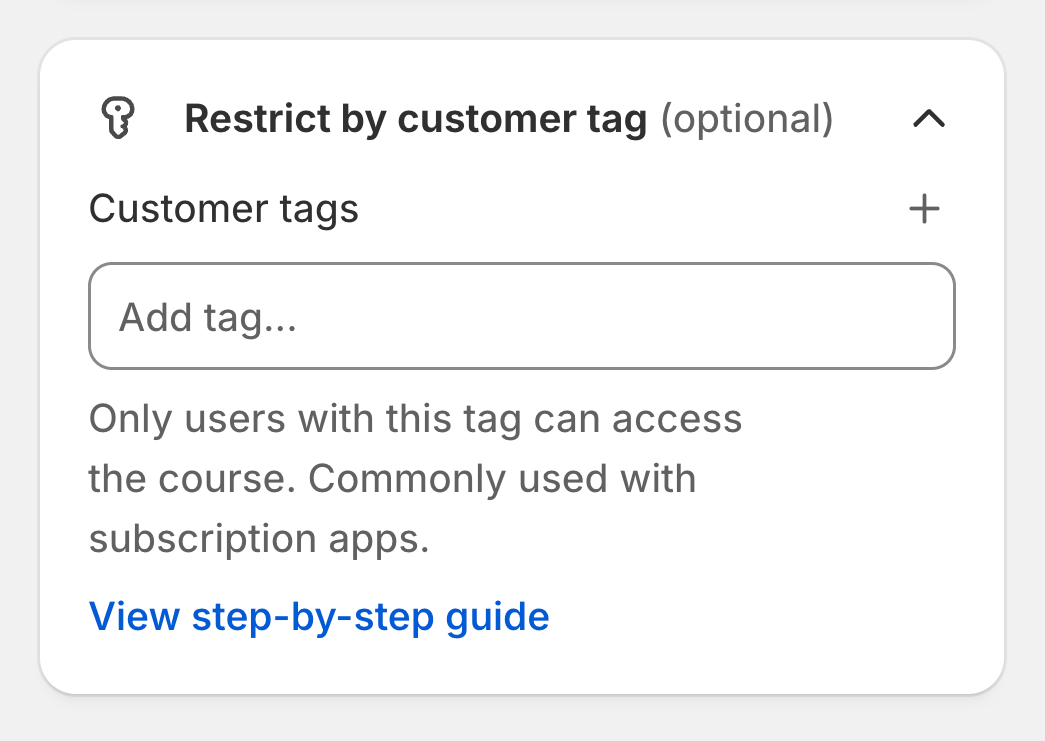
The tag must match the tag your subscription app uses exactly.
Step 3: Test it
Before you go live, run a test with a test customer:
- Subscribe and check that the tag appears on the customer profile in Shopify and that the course is accessible.
- Cancel the subscription and check that the tag is removed and access is gone.
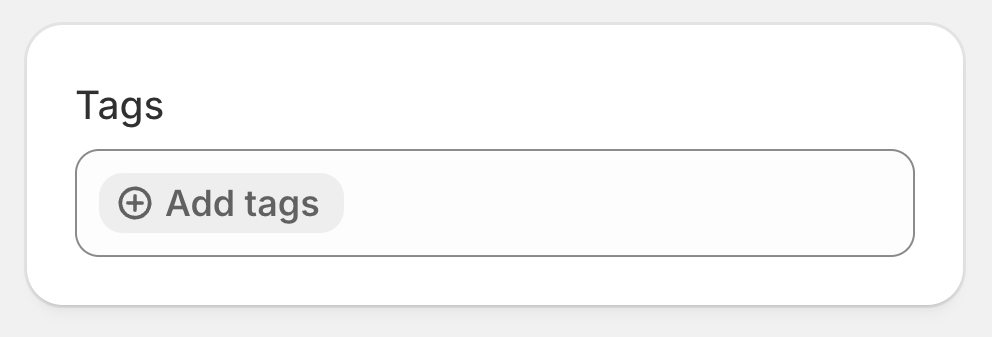
To check a customer’s tags, go to Customers in your Shopify admin and open the customer. The tags are shown in the Tags section in the right column.
Giving access manually#
Because the tag alone grants access, you can unlock a course for anyone without them buying it:
- In your Shopify admin, go to Customers and open the customer.
- In the Tags section, click Add tags and enter the tag used on the course.
- Save the customer.
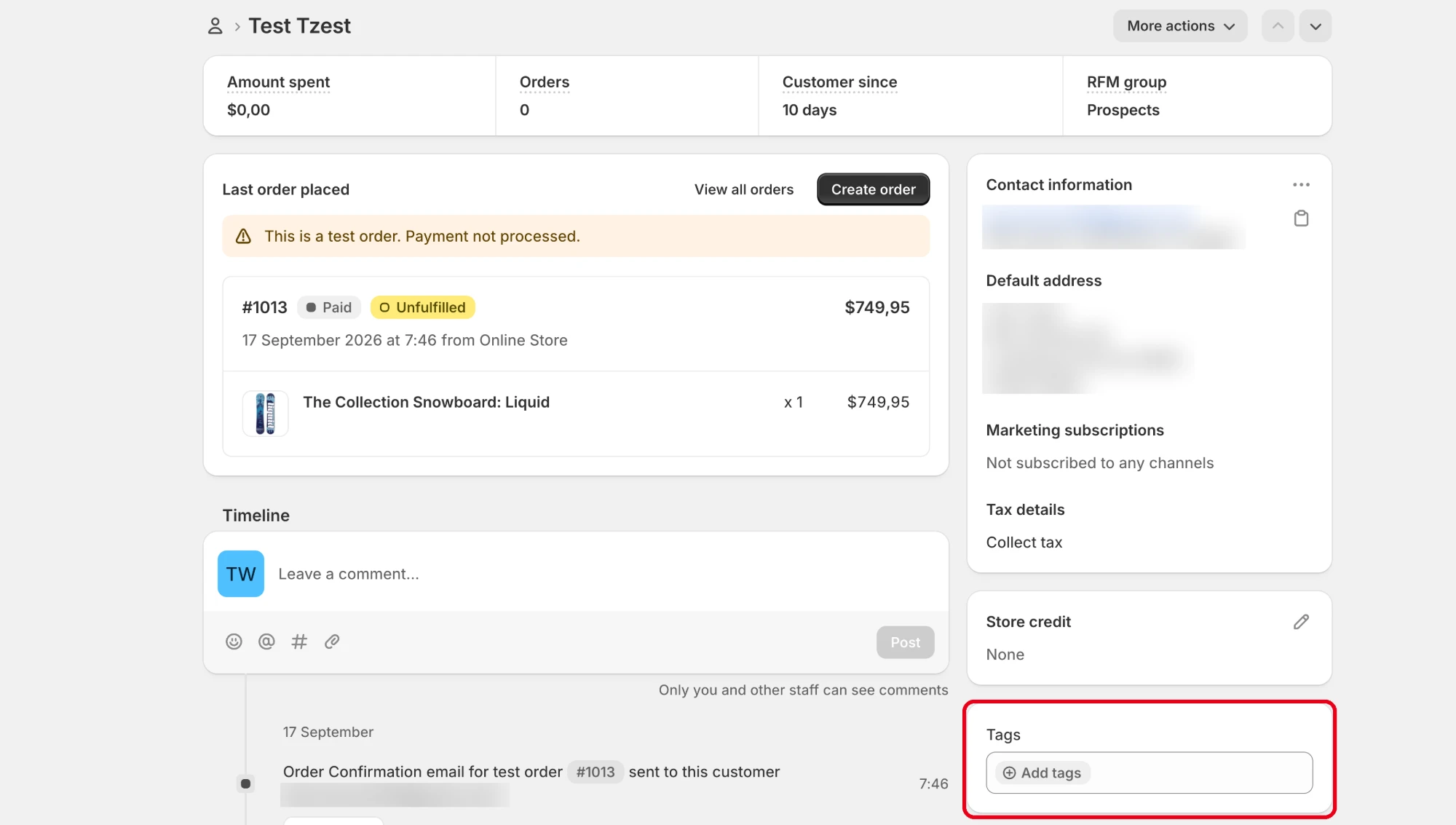
The customer can now open the course after logging into their account. To remove access, delete the tag from their profile.
This is useful for team members, partners, giveaways, or customers you want to reward.
Other use cases#
- Shopify Flow automations: Tag customers based on rules, such as customers who spent over a certain amount or bought a specific product, to unlock a course for them.
- Memberships: Use a membership app that tags members to unlock one or more courses for them.
When not to use this feature#
- You sell a course for a one-time price. Leave the setting empty and use Purchase required under Course Access. With a tag restriction, buying the course alone doesn’t grant access, so customers who pay without receiving the tag would be locked out. See how to sell a course with a Shopify product.
- You aren’t sure how your tagging app handles tags. If tags are never removed, customers keep access after their subscription ends. If tags are removed unexpectedly, paying customers lose access. Test first.
Troubleshooting#
A customer purchased the course but can’t access it. With a tag restriction, a purchase alone isn’t enough. Check the customer’s profile in Shopify. If the required tag is missing, check whether your subscription app or automation actually added it, or add it manually.
A customer can access the course without buying it. Their profile has the required tag. This is expected behavior. Remove the tag if they shouldn’t have access.
A customer cancelled but still has access. Your subscription app probably doesn’t remove the tag on cancellation. Check its tagging settings.
Access doesn’t work even though the tag is there. Make sure the customer is logged into their account, and that the tag in Studyvio matches the tag on the customer profile exactly, including spelling and hyphens.